
Keys Mac version can do both local and iCloud backup. Backup will be done automatically periodically (every 7 days by default). You can also do manual backup.
To backup manually, first launch the Keys App. From the application menu on top of the screen, choose "Data" -> "Backup current data":
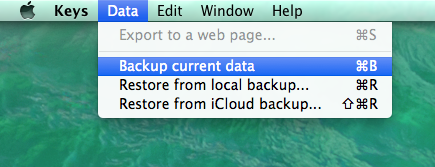
If you have already signed in your iCloud account. By default, data will be backed up both locally and to iCloud.
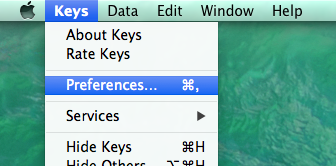
You can change the behavior by choosing "Keys' -> "Preferences..." from the application menu:
Then in the opened window, click "Backup" tab:
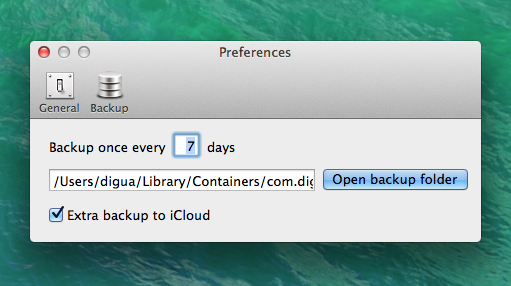
From the window you can configure the backup options:
- You can configure how ofter you want do the auto backup. By default, it's once every 7 days.
- You can see where your local backup resides and can open that containing folder.
- You can configure whether you want to do an extra backup to iCloud. It's enabled by default. Please remember, Keys always do local backup.
0 Comments